- Do:
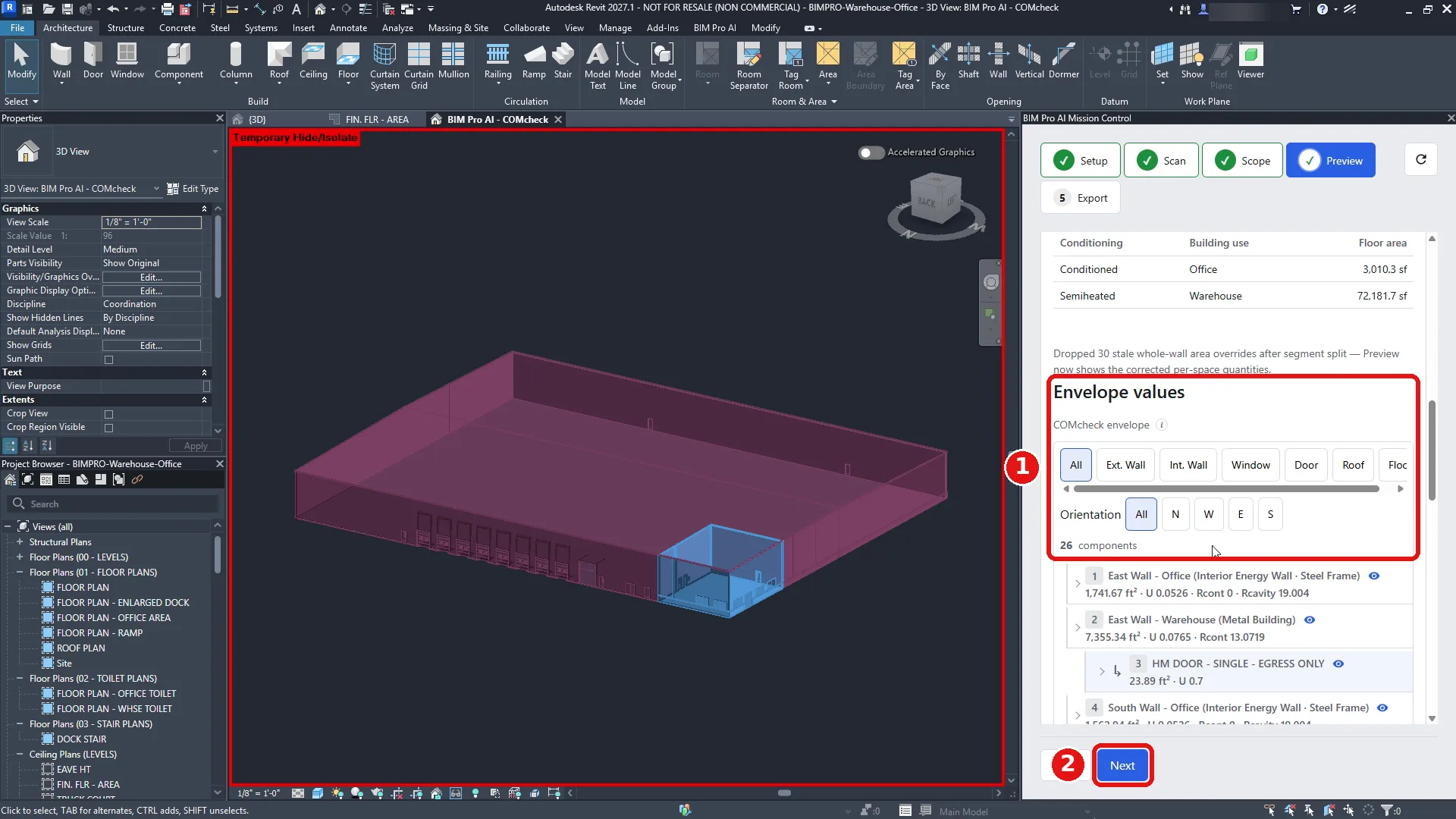
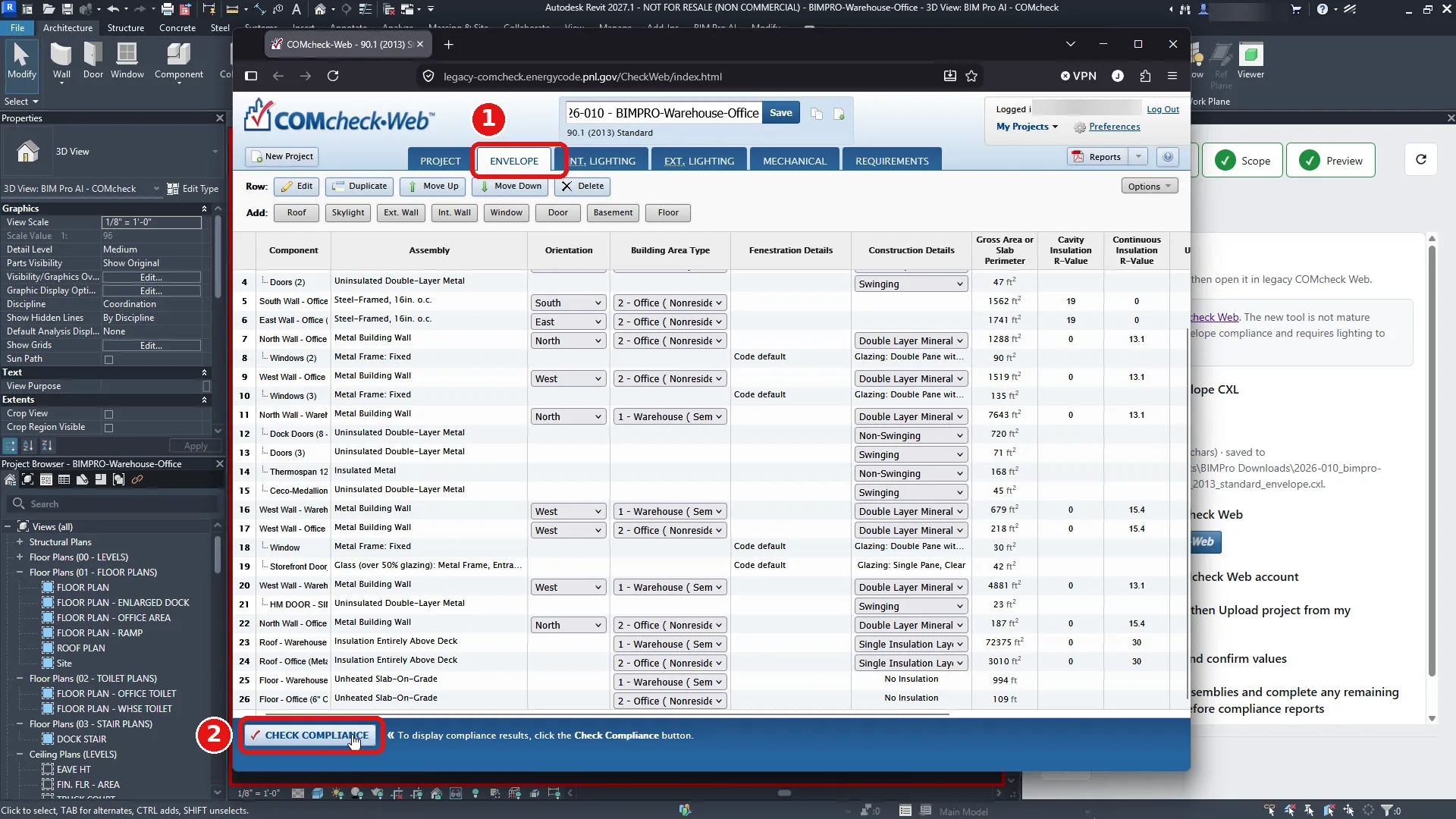
- On 4 Preview, review the building areas and envelope values, then click Next.
- What you see:
- Building area table (Conditioning, Building use, Floor area); Envelope values with type filters (All, Ext. Wall, Int. Wall, Window, Door, Roof…) and orientation filters (All, N, W, E, S); the component count (26 in the demo).
- Result:
- Each component lists its area and values, e.g. “East Wall – Office (Interior Energy Wall – Steel Frame) 1,741.67 ft², U 0.0526, Rcont 0, Rcavity 19.004”. Expand a component to see its child openings.